Mulki Mohamed's Assignment 2!
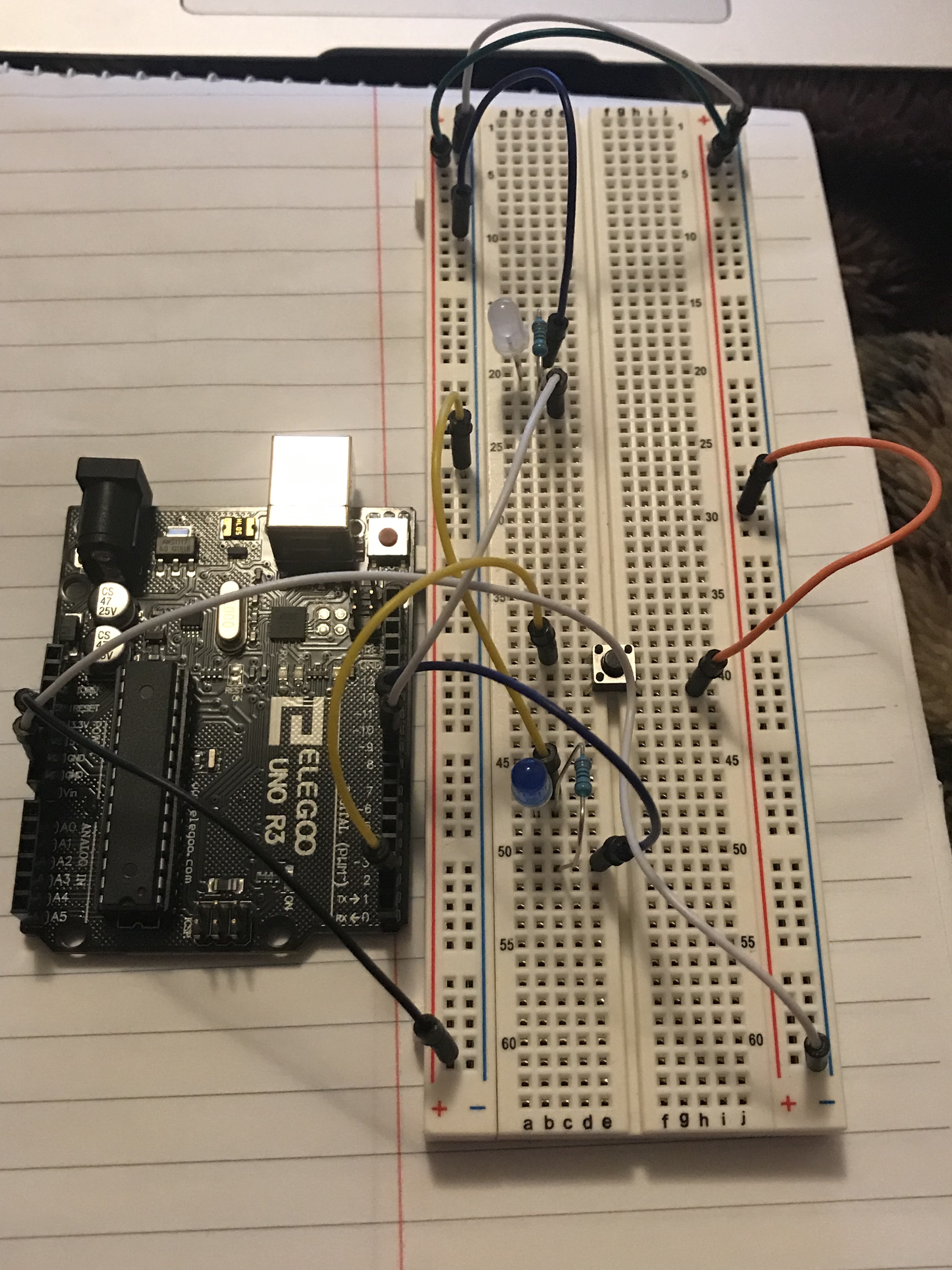
What my circuit looks like:
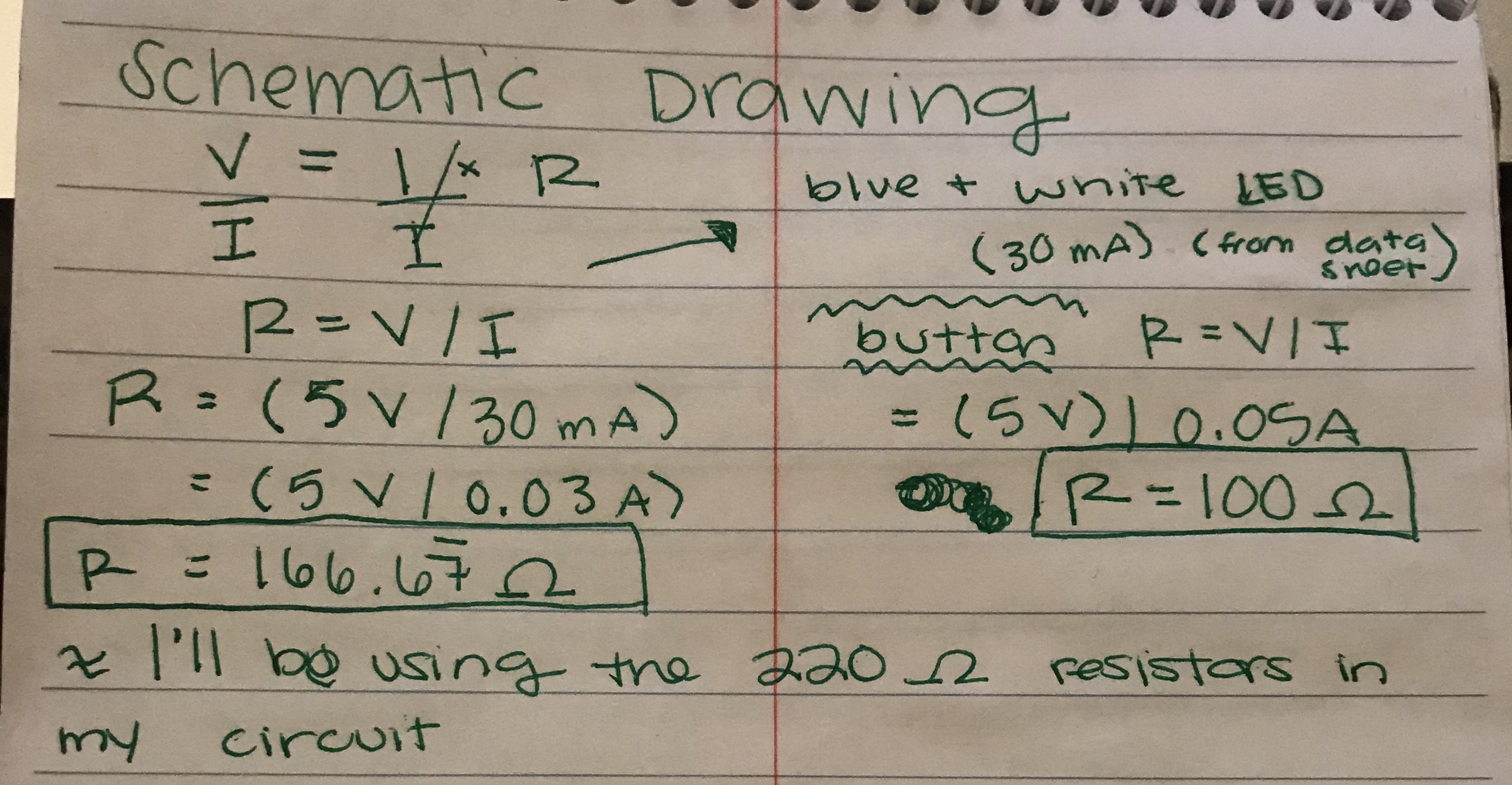
The schematic drawing of my circuit:
Arduino Code:
            // Assignment 2: Lights! That Fade

			// Created by Mulki Mohamed


			// pin number connected to the button

			const int buttonPin = 2;

			// pin number connected to the white LED

			const int whiteLEDPin = 9;

			// pin number connected to the blue LED

			const int blueLEDPin = 10;


			// represents the state in which the button is in (off or on)

			int buttonState = 0;


			void setup() {

  				// initialize the white LED pin as an output

 				 pinMode(whiteLEDPin, OUTPUT);

  				// initialize the blue LED pin as an output

  				pinMode(blueLEDPin, OUTPUT);

  				// initialize the pushbutton pin as an input

  				pinMode(buttonPin, INPUT);

			}


			void loop() {

  				// reads the state of the pushbutton (off or on)

  				buttonState = digitalRead(buttonPin);


  				// checks to see if the button has been pressed, represented by a "HIGH"

  				if (buttonState == HIGH) {

    				// turn white LED on

    				digitalWrite(whiteLEDPin, HIGH);

    				// turn blue LED on

    				digitalWrite(blueLEDPin, HIGH);


    			// fade LED pins in

    		    for (int colorFadeValue = 0; colorFadeValue <= 250; colorFadeValue +=10) {

      				// fade white LED from 0 to 250 by increasing by 10

      				analogWrite(whiteLEDPin,colorFadeValue);

      				// fade blue LED from 0 to 250 by increasing by 10

      				analogWrite(blueLEDPin,colorFadeValue);

      				//delay time by 30 ms

      				delay(30);

    				}

    			// fade LED pins out

    			for (int colorFadeValue = 250; colorFadeValue >= 0; colorFadeValue -=10) {

      				// fade white LED from 250 to 0 by decreasing by 10

     				 analogWrite(whiteLEDPin,colorFadeValue);

      				// fade blue LED from 250 to 0 by decreasing by 10

     				 analogWrite(blueLEDPin,colorFadeValue);

      				// delay time by 30 ms

      				delay(30);

    			}

  		} else {

   			// turn white LED off

    		digitalWrite(whiteLEDPin, LOW);

    		// turn blue LED off

    		digitalWrite(blueLEDPin, LOW);

  		}

	}
>
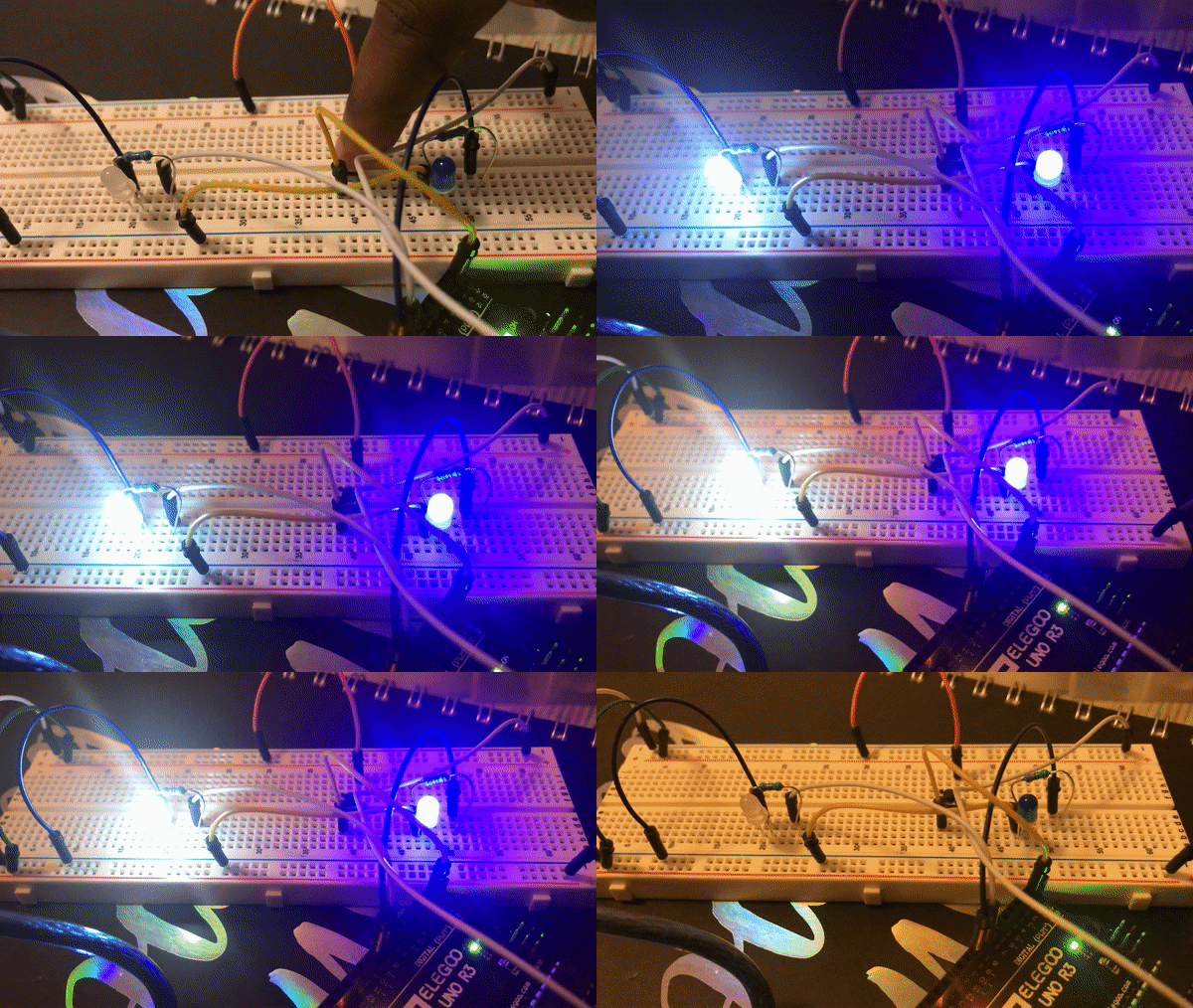
An animted gif of my circuit: